GitAvailable
Git
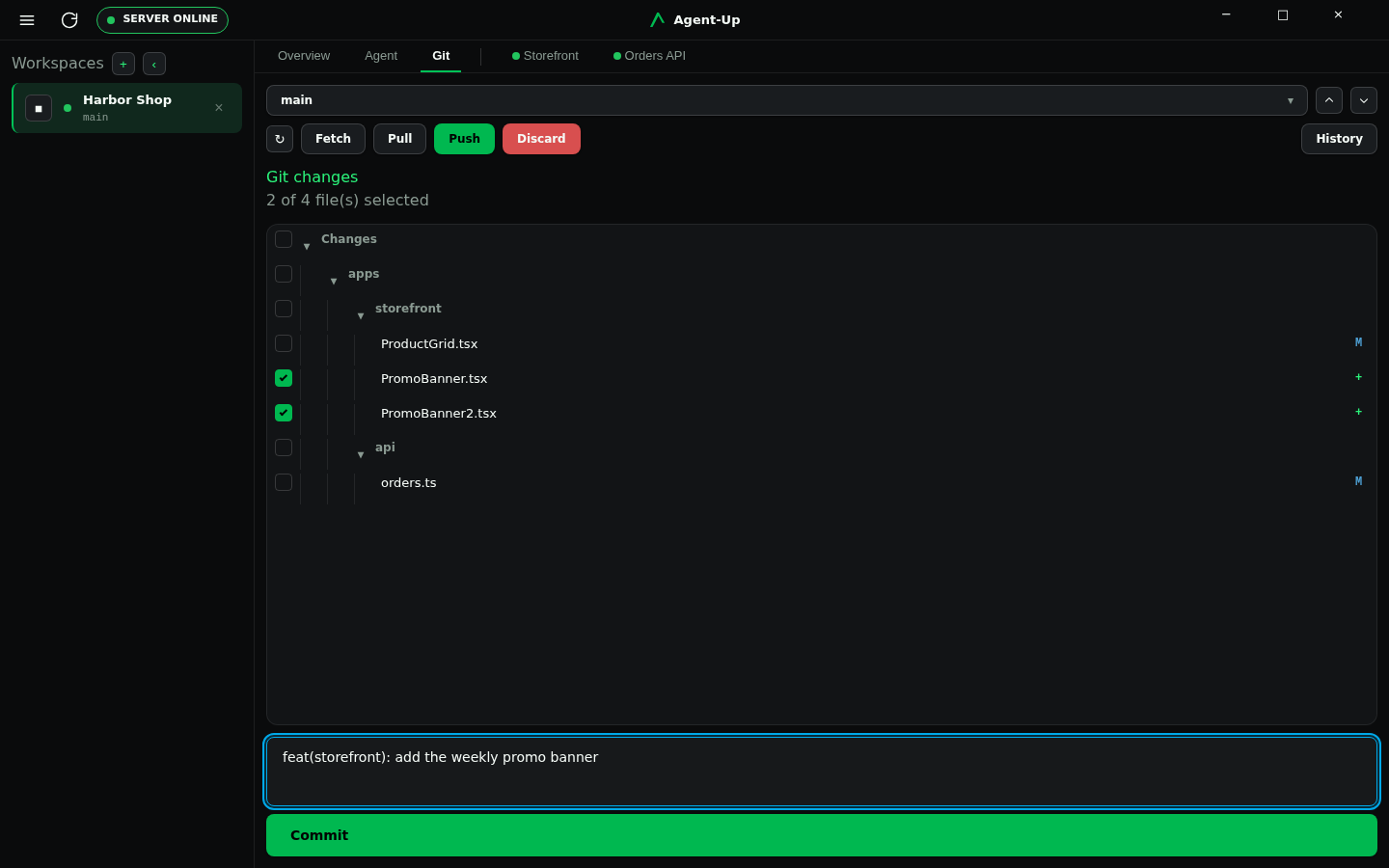
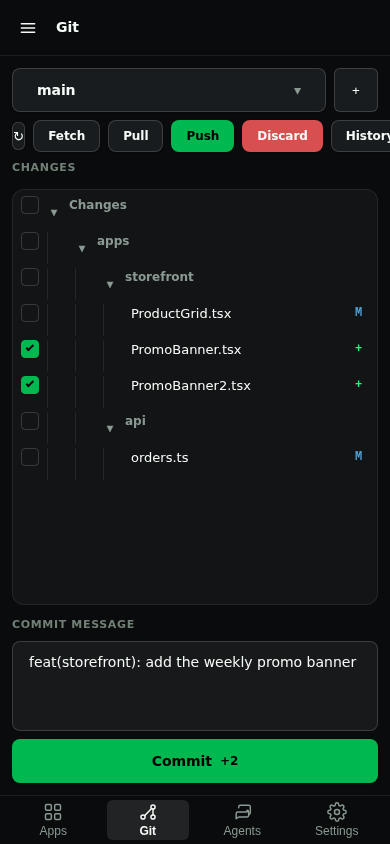
Git is the human working-tree review surface. Every workspace has a view of uncommitted changes, per-file diffs, a chosen-path commit, branch fetch/pull/push, and a bounded history.
Desktop chrome is the Git tab, heading Git changes. Mobile chrome is the Git tab, with inner Review and History pages.
Open Review
Select paths and commit
Use History or remotes when you need them
Chrome
Desktop Git · Mobile Git
Where it differs
Desktop
git.write.Mobile
git.write.Desktop Git always shows a hosting strip above the change tree. With no forge module enabled it names that cause and the bootstrap remedy. After connection it shows the open proposal, check state, review threads, and mergeability. Mobile shows the same facts as a row on the Git overview, with thread links on Review.
Enable a repository host
GitHub and Forgejo are first-party forge modules. Enable the module matching the repository remote, then connect it from the Git hosting strip. Host credentials stay on the Server; they never go in agent-up.json.
Pack and enable
Runagent-up capabilities bootstrap, or enablegithuborforgejofrom Settings. With neither enabled the strip showsnotInstalledandRun: agent-up capabilities bootstrap.Point at the host
GitHub defaults to github.com and needs no client id or client secret. For GitHub Enterprise setAGENTUP_GITHUB_API_URLandAGENTUP_GITHUB_AUTHORIZE_URL. For Forgejo setAGENTUP_FORGEJO_ORIGIN(API and OAuth URLs are derived); override withAGENTUP_FORGEJO_API_URLwhen the instance is not at/api/v1.Connect GitHub
Use Connect on the workspace's Git hosting strip. GitHub asks you to create the prefilled private app and install it on the repository inferred from that workspace'sorigin. Complete this once in every workspace: each gets a separate identity such asAgent-Up-Workspace-1-a1b2c3d4.Connect Forgejo
Create an OAuth application on the Forgejo instance, set its callback to the Server's/api/forge/callback, then configureAGENTUP_FORGE_CLIENT_ID,AGENTUP_FORGE_CLIENT_SECRET, andAGENTUP_FORGE_REDIRECT_URI. Use Connect on the workspace's Git hosting strip.
The callback URL displayed by GitHub must reach the same Server URL used to start the connection. Packaged local use works at http://localhost:5000; when the Server is remote or behind a proxy, connect the client through its browser-reachable public URL before starting setup.
For an organization-owned repository, GitHub creates the private app under that organization, so the person completing setup must be allowed to register and install GitHub Apps there. For a personal repository, GitHub creates it under that user account. You do not create an OAuth app or copy a client secret into Agent-Up in either case.